Tutorial
SimFluVar is freely available from the PRODUCT in SimFluVar homepage. You may download the compressed SimFluVar files for your operating systems. Detailed installation method for each operating system is as follows.
More Detail
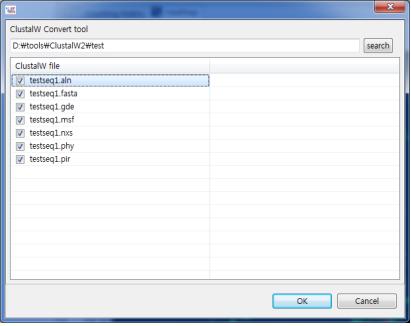
5. ClustalW Convert Tool
Figure1. Conversion tool that changes ClustalW's result files
Within the SimFluVar program, there is a conversion tool that changes ClustalW's result files to its own input file. Selecting 'Tool-ClustalW to SimFluvar' in the menu produces a window as shown below. Next, press the Search button to select the folder containing ClustalW's output file; then, generate all output files created in ClustalW as shown below. From there, select the desired file and press the 'OK' button to convert the selected file to SimFluVar's input file.