
|
Interaction mode
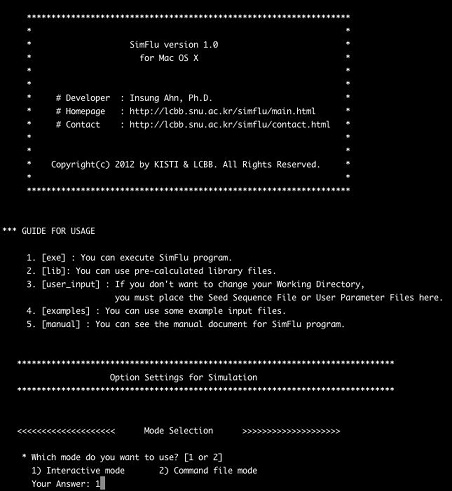
In this mode, SimFlu automatically search the parent folder of SimFlu.exe file located in the subfolder [exe], and will ask you whether to use it as a working directory or not next figure. If you want to use other directory as your working directory, type the ‘yes’ in the first question and write the exact file path to the preferred working directory folder. SimFlu will check the existence of your working directory, and move to the next step if it is normally exist in your PC. 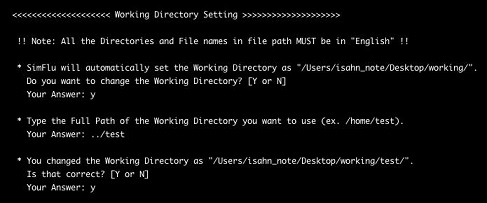
In the next step, SimFlu asks you the name of seed sequence file, and all you have to do is just to type the exact name of your seed file, not the whole file path next figure. Once you write the seed file name, SimFlu will search it in the [user_input] folder in your working directory, and if it is normally exist, SimFlu will show up “Okay” sign in the screen and move to the next step. Note that the seed sequence file in the [user_input] folder must be in FASTA-format and its extension must be ‘*.seq’. 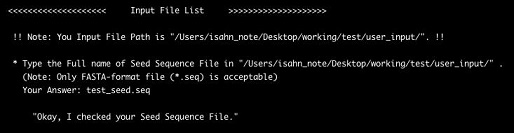
|